How big should a digital wall clock be?
Digit height against viewing distance for a classroom, a gym, a kitchen and a hallway; brightness, glare, daylight saving, remotes and batteries.
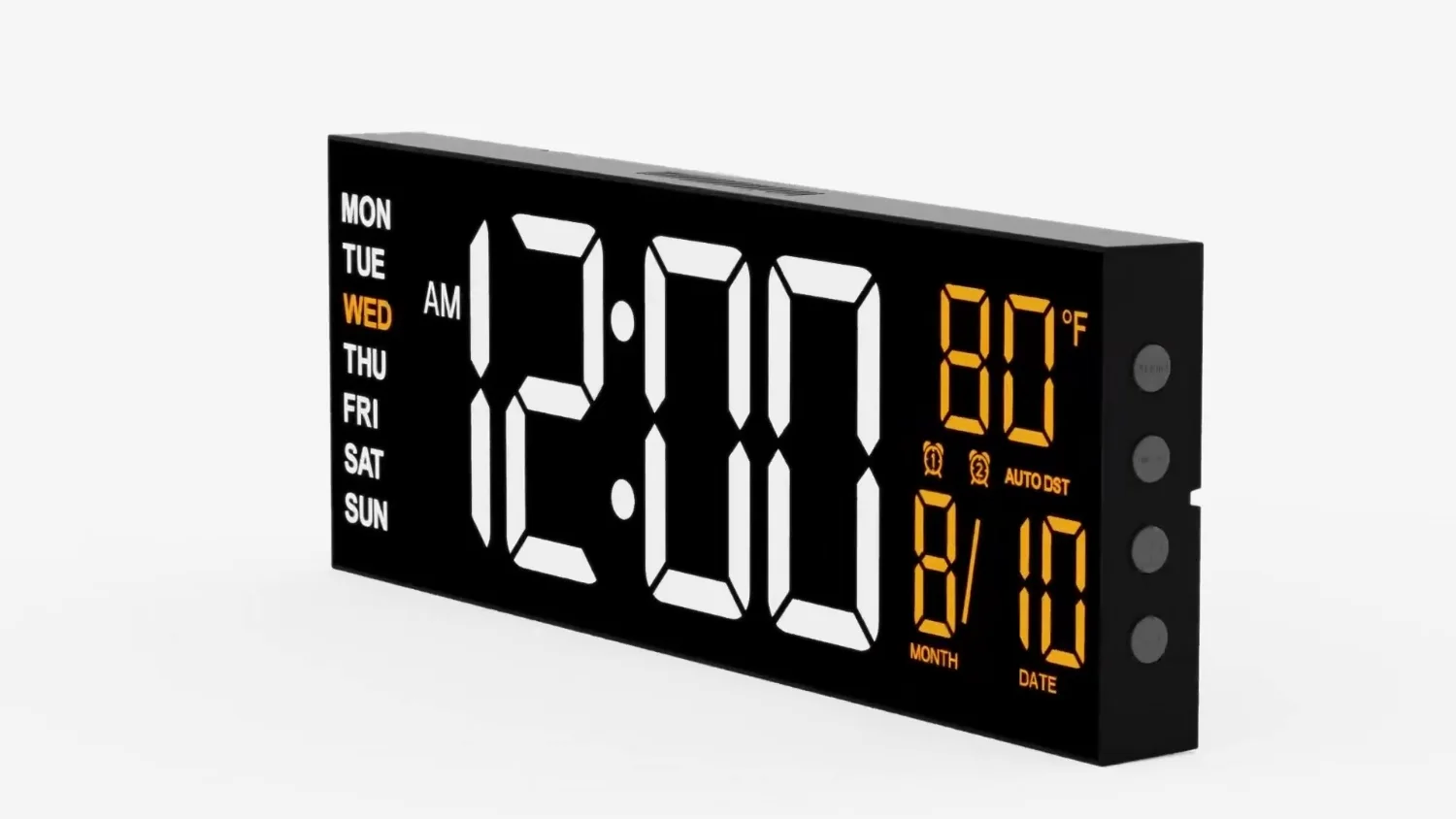
Distance and digit height
When you choose a digital wall clock, you select more than a piece of wall decor. You choose a tool that communicates time across a physical space. The first step in picking the correct size is understanding that the physical outer dimensions of the clock frame are only part of the equation. The true measure of a wall clock's utility is the height of its digital numbers.
A frame that measures 12 inches across might sound large when you hold it in your hands. However, if the digital digits inside that frame are only two inches tall, the clock will fail to perform in a wide room. The surrounding plastic frame does not help you read the time. Only the illuminated segments of the numbers do that work.
We design our digital clocks to maximize the visual space inside the frame. In our catalog, you will find sizes ranging from 8 inches to 30 inches. For each of these sizes, we focus on making the numbers as tall and wide as the casing allows. When we talk about how big a clock should be, we are always talking about the balance between the overall frame and the height of the digits. A classroom teacher, a warehouse foreman, or a home cook all need to read the numbers, not the frame. You must start by asking how far away the furthest person in the room will stand. Once you know that distance, you can determine how tall the digits need to be to remain legible without eye strain.
A rule of thumb for viewing distance
To help you select the correct size, we use a practical rule of thumb. This is our own guide, not an official industrial standard, but we have found it works reliably in real-world settings. We recommend planning for roughly one inch of digit height for every ten feet of viewing distance.
Under this rule, if the furthest seat in a classroom is thirty feet away from the front wall, you will want digits that are at least three inches tall. If you are fitting out a large gym where athletes might look at the clock from sixty feet away, you will need digits that are six inches tall or larger.
This simple calculation is a starting point, but physical reality can shift your needs. Two main factors will alter how easily you can read the numbers at a distance. The first factor is the mounting height of the clock. If you mount a clock very high on a wall, perhaps ten feet up to keep it clear of equipment or ball strikes, you create a steep viewing angle.
This angle makes the digits appear compressed and shorter than they actually are. The second factor is light glare. Bright sunshine from windows or reflection from overhead fluorescent tubes can wash out the display. If your room has high mounting points or significant glare, you should choose a larger clock size than our basic rule of thumb suggests.
This ensures the digits remain readable even under difficult conditions. At JALL, we design our clocks with these variables in mind, ensuring the digits are thick enough to hold their shape even when viewed from a sharp angle.
| Clock size | Rooms it suits | Where it sits in our range |
|---|---|---|
| 8 to 12 inches | Hallway, bedroom wall, home office, kitchen | The smallest wall clocks we make; remote on most |
| 13 to 16 inches | Living room, kitchen, small classroom, waiting room | Our most common size; timer, alarm and temperature |
| 18 to 22 inches | Classroom, open-plan office, garage, church hall | Big digits, night light, auto-dimming |
| 30 inches | Gym, warehouse, sports hall, large auditorium | The largest we make; remote-operated |
Small spaces: Hallways and kitchens
Small spaces require a delicate balance. In a home kitchen, a narrow office hallway, or a small study, a massive clock can feel overwhelming and visually loud. For these spaces, clocks in the 8-inch, 10-inch, 10.5-inch, or 12-inch range are usually ideal.
In these rooms, you are rarely standing more than ten or fifteen feet away from the wall. An 8-inch or 10-inch clock provides digits that are perfectly clear at this distance without dominating the wall space. In a kitchen, you might be glancing up while chopping vegetables or washing dishes. You need to see the time instantly, but you do not need a screen that lights up the entire room like a billboard.
These smaller sizes are also excellent for narrow hallways. In a long corridor, you view the clock from a narrow angle rather than straight on. A 12-inch clock fits neatly above a doorway or at the end of a hall without sticking out too far from the wall surface. It provides clean, readable numbers that keep you on schedule as you move between rooms. With their smaller footprint, these models do not require complex mounting hardware. They sit flat against the wall, reducing the chance of being bumped by passersby in high-traffic corridors. They provide a quiet, reliable presence that tells you the time without demanding your attention.
Mid-sized rooms: Living rooms and classrooms
For mid-sized rooms, you need to step up to our 13-inch, 14.5-inch, 16-inch, or 16.2-inch models. These sizes are the workhorses of standard public and private spaces. They fit comfortably in an average living room, a small school classroom, or a standard corporate meeting room.
Consider a teacher standing at the whiteboard. The students in the front row are only five feet away, but the students in the back row might be twenty-five feet away. A 16-inch clock ensures that even the student sitting in the furthest corner can see exactly how many minutes remain in the period. The digits are large enough to be read without squinting, yet the clock itself does not distract from the lesson board.
In a home living room, these mid-sized clocks provide comfortable viewing from the sofa or an armchair across the room. They are large enough to display additional helpful information clearly. Most of our clocks in this size range show the date, the day of the week, and the indoor temperature alongside the main time display. This extra information is organized so it does not clutter the screen, keeping the primary time digits as the clear visual focus of the display. The layout is balanced, presenting all the data in a clean format that you can digest in a single glance. These mid-sized models sit in the middle, providing high visibility without requiring the massive wall clearance of our industrial models. They are practical, reliable tools for daily routines.
Large public areas: Offices, garages, and halls
When you move into larger, shared environments, smaller clocks lose their utility. Open-plan offices, commercial auto garages, church halls, and community centers require our 18-inch or 22-inch models.
An open-plan office often has rows of desks stretching thirty, forty, or fifty feet. Employees need to glance up from their computers and see the time instantly without stopping their work. An 18-inch or 22-inch clock provides the visual weight needed to anchor a large wall. It ensures the numbers remain legible even from the far side of the room.
In a commercial garage or a workshop, workers are often busy with tools, wearing safety gear, or moving around vehicles. They cannot easily stop to look at a wrist watch or a phone. A 22-inch clock mounted high on the wall keeps everyone on the same schedule. The digits on these models are tall and bold, cutting through the visual clutter of pipes, tools, and rafters that you often find in industrial or semi-industrial spaces.
The time is visible from nearly every angle of the workspace. In a church hall or community center, where meetings and social gatherings host dozens of people, these clocks act as a shared point of reference. They prevent the need for individuals to check their personal devices constantly, helping to maintain focus and engagement during events.
Maximum scale: Gyms, warehouses, and sports halls
For the largest indoor spaces, there is only one practical choice. Our 30-inch digital wall clock is built specifically for gyms, expansive warehouses, and large sports halls. These environments present unique visual challenges that smaller clocks cannot overcome.
In a gym or a sports hall, people are constantly in motion. They might be running laps, lifting weights, or playing basketball. Their heart rates are elevated, and their focus is divided. To read a clock while moving quickly, the display must be exceptionally large. An athlete sixty or eighty feet away needs to see the time in a fraction of a second. Our 30-inch clock has massive digits that deliver this readability instantly.
Warehouse managers face similar challenges. Forklifts are moving, workers are picking orders from high shelves, and the distance from one end of a bay to the other can easily exceed one hundred feet. A small clock is completely useless in this environment. The 30-inch display acts as a central timekeeper that can be seen from almost any point on the warehouse floor.
It provides a reliable anchor for shift changes, break times, and shipping deadlines. The scale of this clock ensures that the time remains a dominant, readable feature even when surrounded by massive shelving units and high ceilings. By installing a clock of this magnitude, you eliminate confusion about schedule timing across large teams. It is a highly visible landmark on the wall, built to perform in spaces where smaller screens simply fade into the background.
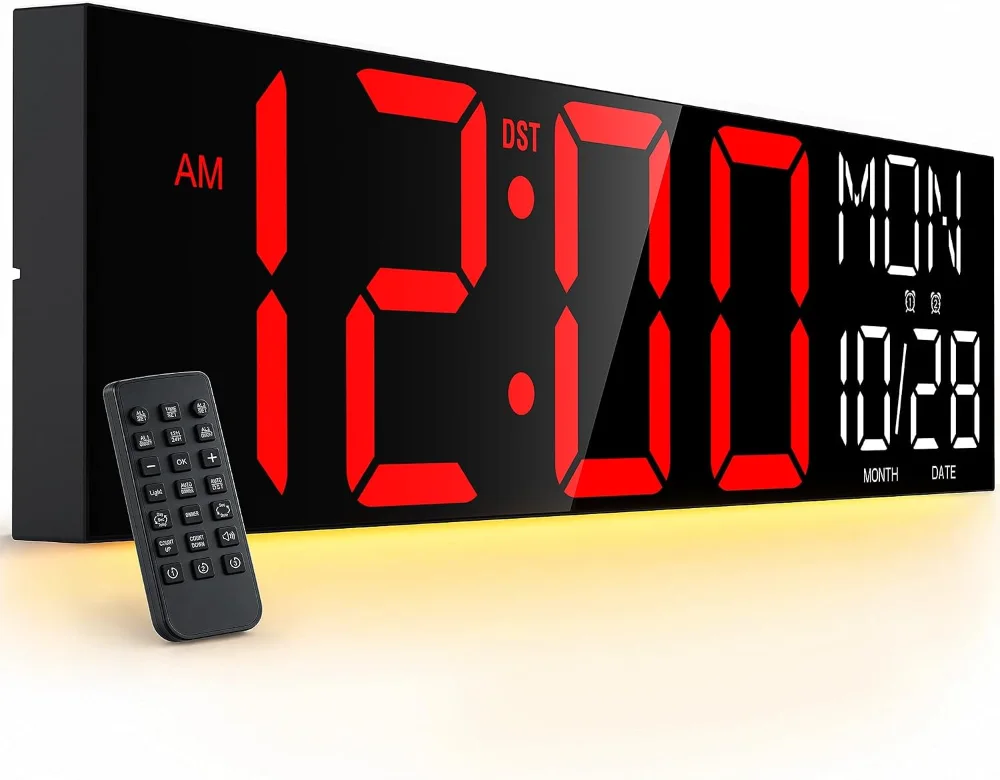
Managing light, glare, and auto-dimming
Size is not the only factor in readability. Light management is just as important. A digital clock that is perfectly bright and readable at noon can become a blinding, distracting glare source at midnight. Conversely, a clock dimmed for nighttime use will be completely invisible when the midday sun streams through the windows.
To solve this problem, almost all our wall clocks feature dimming controls. Our larger models include auto-dimming sensors that adjust the screen brightness based on the ambient light in the room. When the room gets dark, the clock dims itself to a comfortable, soft level. When the room brightens, the clock increases its output to maintain contrast. Our smaller 8-inch and 10-inch models feature manual dimming, allowing you to set the perfect level for your specific environment.
When choosing where to mount your clock, avoid placing it directly opposite a large window. This is the most common placement mistake. The sunlight hitting the screen face will create a mirror effect, washing out the digits regardless of how large or bright they are. Instead, mount the clock on a wall adjacent to windows, or slightly angled away from direct light sources, to ensure the auto-dimming sensor can do its job effectively. This careful placement ensures the display remains crisp and readable through every hour of the day and night. Proper light management also reduces eye strain for people who must look at the clock frequently, such as office workers or students during long study sessions.
Digit colors and contrast
The color of the digital numbers plays a significant role in how easily your eyes can process the time. We make our clocks with different digit color options, including red, white, blue, and multi-color RGB displays. Each color has specific advantages depending on where you plan to hang the clock.
White digits provide the highest contrast against the black background of our clock frames. This makes white the safest choice for standard classrooms, offices, and kitchens. The clean, crisp contrast is easy for the human eye to resolve from a distance, even in bright rooms.
Red digits are highly useful in low-light environments. Red digits are the traditional choice for dark garages, photo labs, or bedrooms where you want to keep ambient light to a minimum.
Blue digits present a cool, modern look that fits well in professional offices and modern homes. Blue light is easy to read under standard fluorescent office lighting.
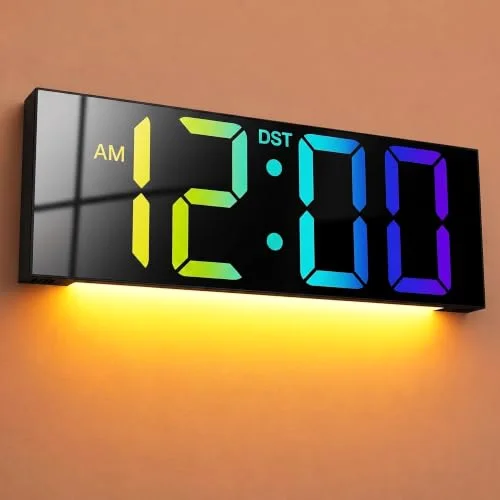
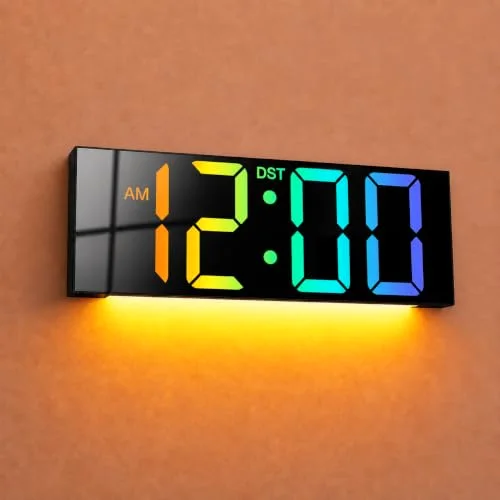
RGB displays allow you to cycle through colors or select a specific hue that matches your room decor or business branding. In a gym or a lively community space, an RGB display adds a dynamic element while keeping the numbers large and readable. Choosing the right color ensures that the clock matches both the aesthetic and the functional lighting needs of your space. By matching the digit color to the ambient lighting of the room, you maximize the speed at which a person can read the time without causing visual fatigue over the course of a long day.
Wall clocks in our range
Three of the sixty. The shelf page has every size and digit colour.
Time drift, daylight saving, and synchronization
A wall clock is only useful if it shows the correct time. Over months of operation, standard electronic clocks can experience minor time drift, losing or gaining a few seconds. To prevent this, our clocks are designed with reliable internal timekeeping components.
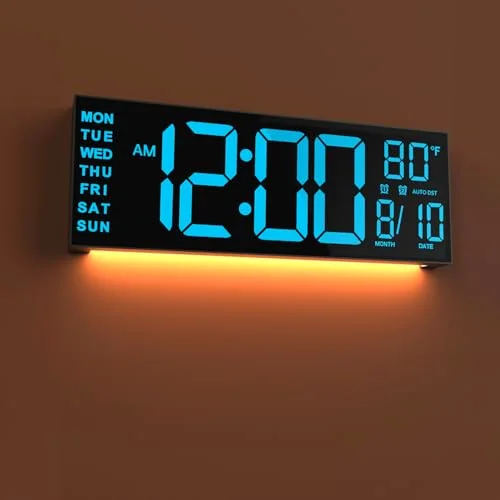
Daylight Saving Time transitions can be a major hassle, especially if your clock is mounted high on a wall. Most JALL models feature auto DST. This system automatically adjusts the hour forward in the spring and back in the fall, saving you from having to take the clock down twice a year.
For spaces where absolute precision is required, some of our models offer advanced synchronization. Our 16-inch, 16.2-inch, and 18-inch models feature Bluetooth time synchronization. This allows the clock to sync its time directly with your phone, ensuring it remains accurate to the second without any manual adjustment. This is particularly valuable in schools and offices where meetings, classes, and shifts must start and end at exact times. It eliminates the frustration of mismatched clocks across a large facility, ensuring that every room is perfectly aligned to the same second. When several rooms in a building sync their clocks, transitions between classes or shifts stop depending on whose clock was right.
Power, mounting, and remote control access
How you power and mount your clock depends on its size and your room layout. Most of our digital wall clocks are mains-powered. These models ship with a standard 5V power adapter and a power cord that ranges from roughly 10 to 12 feet long, depending on the specific model. This generous cord length allows you to route the cable neatly down the wall or behind trim to reach a standard wall outlet.
If you do not have an outlet nearby, or if you want a completely cord-free look, we provide one battery-operated model. This specialized clock runs for 8 to 14 months on four AA cells, giving you the freedom to mount it anywhere without worrying about power cables.
Mounting our clocks is straightforward. They hang from a screw or a wall anchor, and many of the smaller sizes can also stand on a desk. While our smaller clocks are lightweight, our 30-inch clock is a substantial piece of equipment. It requires secure mounting into wall studs or heavy-duty anchors to support its physical size safely.
Once your clock is mounted, especially if it is eight or ten feet up on a wall, you do not want to climb a ladder every time you need to adjust a setting. For this reason, we include a remote control with most of our clock sizes. The remote allows you to change the brightness, adjust the time, or set timers from the comfort of the floor, keeping your ladder in the closet. This remote functionality is a vital feature for facilities managers and teachers who need to manage multiple clocks quickly without disrupting their daily work.
The remote control also makes it simple to toggle between different display modes or reset the clock after a rare manual adjustment is needed. By removing the physical barrier of height, the remote ensures that your clock remains easy to manage regardless of where it is installed on the wall.
| Feature | What it solves | Which of our wall clocks have it |
|---|---|---|
| Auto-dimming | A display that is bright at noon and blinding at midnight | Nearly all; the 8 and 10 inch models dim by hand |
| Auto DST | The twice-a-year climb up a ladder | Most; check the model |
| Bluetooth time sync | A clock that drifts a minute a month | The 16, 16.2 and 18 inch models |
| Remote control | Setting a clock that is eight feet up a wall | Most sizes |
| Battery power | A wall with no outlet | The 14.5 inch model; four AA cells for 8 to 14 months |
| Countdown timer | Classroom activities, HIIT rounds, resting bread | About half the range, from 8 to 30 inches |
Countdown timers and the most common sizing mistake
Many of our clocks, covering about half the range, include built-in countdown timers and alarms. In a gym, a personal trainer can use the countdown timer to pace intervals or timed circuits. In a classroom, a teacher can set a countdown for an exam or a group activity, allowing students to manage their time visually. The large, clear digits make it easy for everyone in the room to see exactly how many seconds are left.
We often see people make one critical mistake when selecting a digital wall clock. They look at the empty wall space and buy a clock that physically fits that patch of drywall, rather than buying a clock that fits the overall volume of the room. A small clock on a large wall in a giant room will look lost, and more importantly, people on the far side of the room will not be able to read it. Conversely, a massive 30-inch clock on a small kitchen wall will feel overwhelming.
When choosing a clock size, measure the distance from the wall to the furthest viewer, not the physical width of the empty wall space.
By focusing on the distance your eyes must travel rather than the size of the drywall, you ensure that your JALL clock serves its true purpose as a clear, readable timekeeper for everyone in the room. A well-chosen clock integrates naturally into your daily routine, providing the exact information you need at a single glance, without cluttering your environment or straining your eyes. Taking the time to evaluate your room's physical dimensions, light sources, and viewing distances before making a selection will save you from the disappointment of a screen that is too small to read or too bright to live with.